View the Current Perio Chart
|
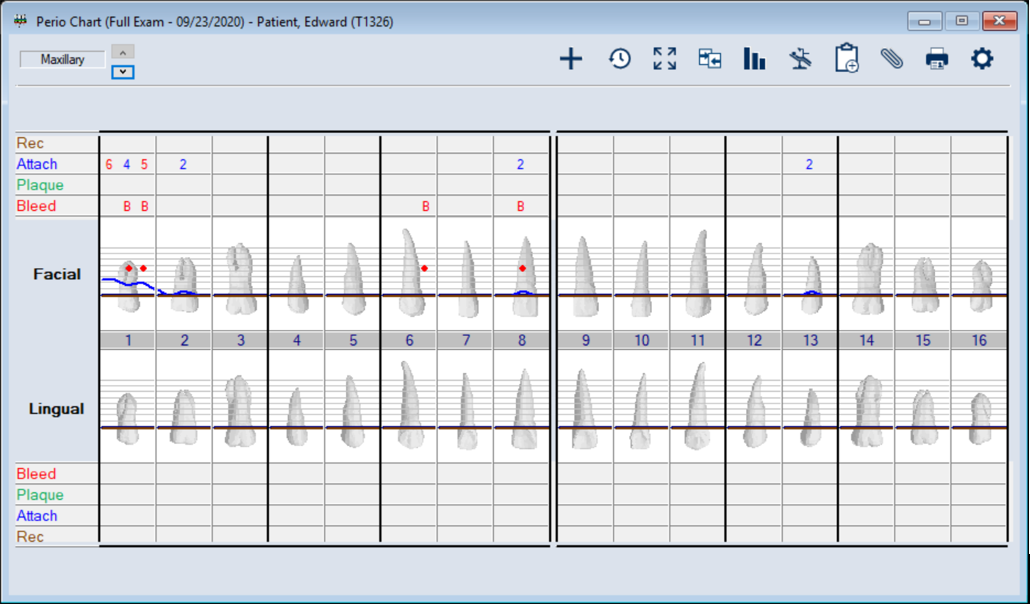
The values and condition symbols from a patient’s most recent perio exam display on the odontogram in the Perio Chart window. Note: A patient’s most recent perio exam is their latest exam, regardless of whether it is incomplete, complete, or closed. Depending on how conditions are configured for your institution during setup, the color may be customized, the values may display as numeric, alphanumeric, or as yes/no, and the symbols may include lines, bars, text, or dots. Example: In the case below, a bleeding condition has been identified on the sites 1, 2, 6 and 8. Each is marked with a B and a red dot on the odontogram. If you want to monitor changes between multiple exams, you can also compare individual conditions across multiple exams.  View the Current Perio Chart View the Current Perio Chart
Compare Conditions across Exams
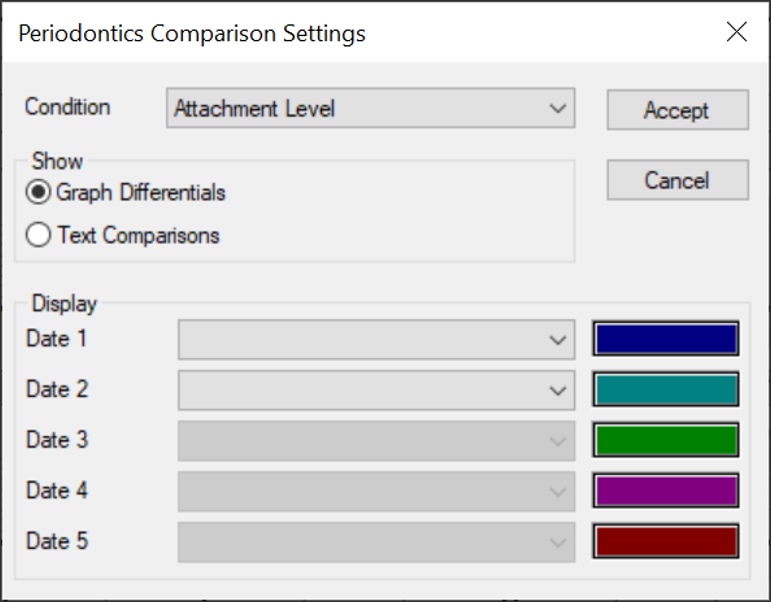
When there are multiple exams on a patient record, you can compare them by individual condition to gauge changes in a patient's perio health and monitor patient progress. Note: You can compare up to five exams at a time. When necessary, you can also print the perio record comparisons. To compare conditions across exams:
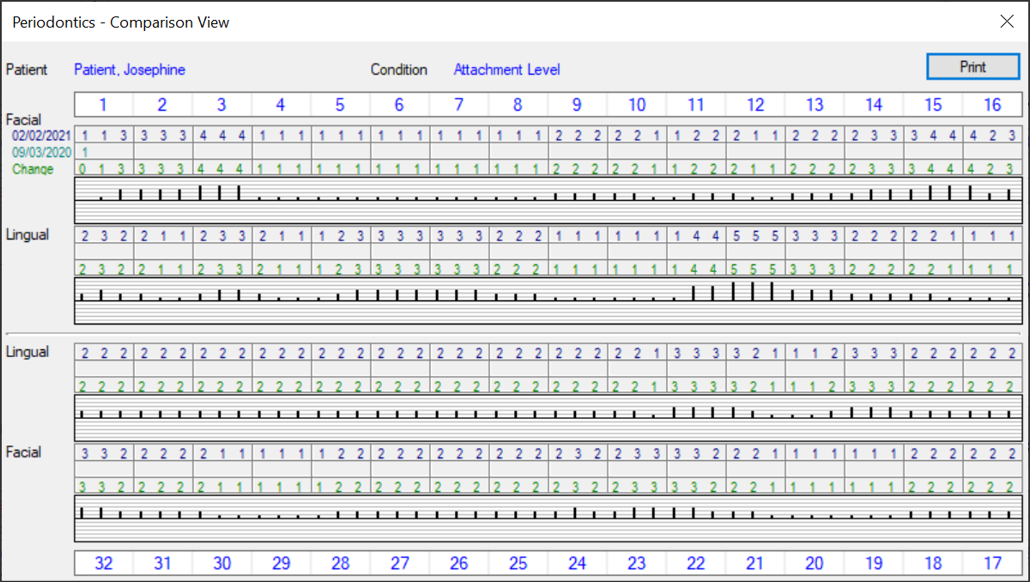
Note: If the Graph Differentials radio button is selected, you can only select two exam dates. Graphic View: The patient name and condition being compared display at the top of the window. For each of the selected exam dates, axiUm displays the value(s) for the condition entered on that date. The amount of change between the two dates is listed under the last exam date and displayed in a bar graph below that.
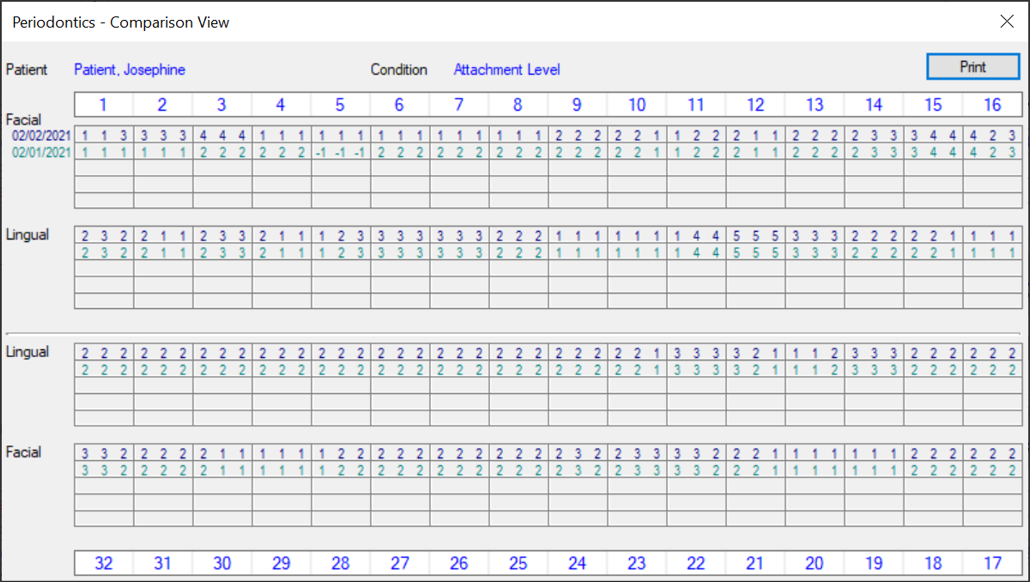
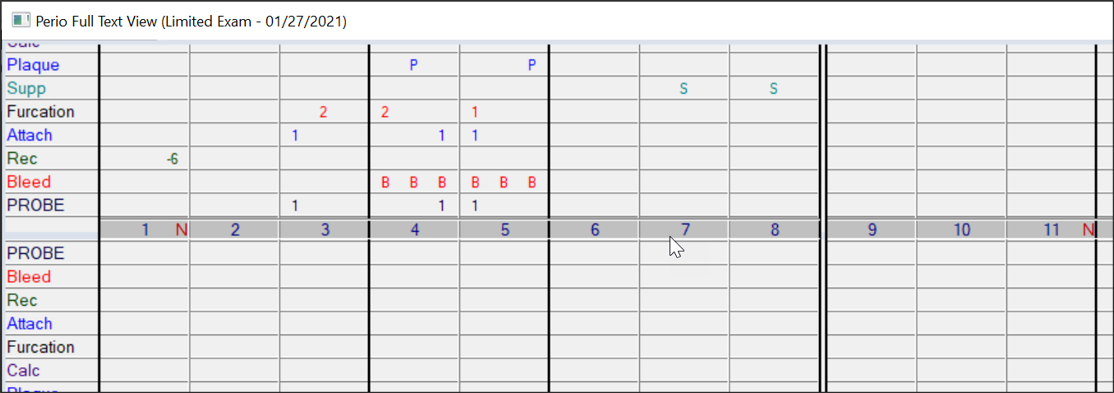
Text View: The patient name and condition being compared display at the top of the window. For each of the selected exam dates, axiUm displays the value(s) for the condition entered on that date.
|
 ) button to display the Maxillary option and display the upper teeth in the chart.
 ) button to display the Mandibular option and display the lower teeth in the chart.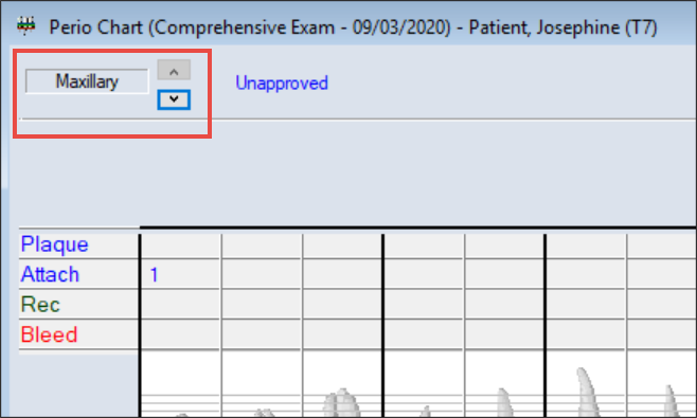
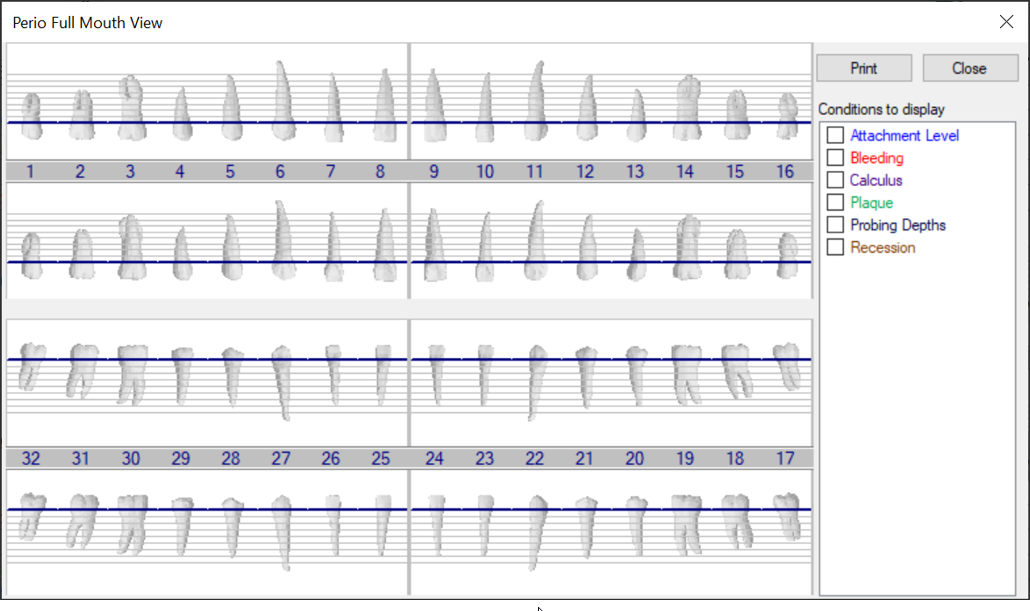
 ) icon to display the Perio Full View Selection window.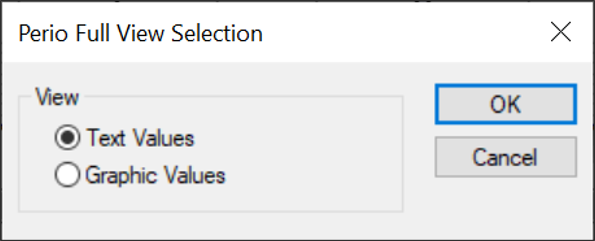
 ) icon to display the Periodontics Comparison Settings window.